
Home / Multi-Factor Authentication for Public Entities
Multi-Factor Authentication for Public Entities

Stop Password-Based Attacks Before They Start

Multi-Factor Authentication for K-12 schools, community colleges, and public agencies, adding a second verification step so stolen passwords can never become successful breaches. Required by cyber insurers. Endorsed by CISA.

Passwords Alone Are No Longer Enough

194 days

Average time to identify a data breach without centralized log monitoring.

Attackers can remain in compromised environments for months before anyone notices.

82%

of K to 12 districts experienced a cybersecurity incident in 2023 to 2024.

Many districts discover attacks after damage has already occurred.

45%

of alerts generated by disconnected tools are never investigated.

Alert fatigue and siloed systems cause real threats to be missed.
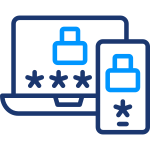
Your staff and administrators use dozens of online systems every day: email, student information systems, financial platforms, remote access tools. Every one of those accounts has a password. And every password can be stolen, guessed, or reused from a previous breach. Multi-Factor Authentication closes that gap by requiring a second verification step that attackers cannot access even if they have the password.

Multi-Factor Authentication: Simple for Your Team. Hard for Attackers.

Multi-Factor Authentication adds a second verification layer to every system your organization uses: email, VPNs, student information systems, cloud applications, and remote access tools. Your staff and administrators verify their identity with a quick push notification or app-based code. Attackers with stolen passwords get nothing.

Works on Every Platform

Microsoft 365, Google Workspace, VPNs, student information systems, remote access tools, and hundreds of cloud applications, all protected under a single MFA deployment.

Easy for Everyone

Push notifications, app-based codes, and hardware token options accommodate staff of all technical levels. Simple enough for classroom teachers. Secure enough for administrators with privileged access.

Adaptive Authentication

Automatically applies extra verification when suspicious activity is detected, such as an unfamiliar device, an unusual location, or an off-hours login attempt. More scrutiny when risk is higher, frictionless when risk is low.

Single Sign-On Ready

Integrates with SSO to reduce password fatigue while maintaining security across all your systems. One secure login, protected by MFA, for everything your staff uses.

AI-Powered

How adaptive intelligence makes your MFA smarter:

Built for Schools and Public Entities. Not Adapted for Them.

Generic identity security tools were not designed for your budget, your team size, or your compliance requirements. ResoluteGuard was.

Simple to Manage

Deployment, configuration, and user enrollment are all managed as part of the service. Your team does not need to become an identity specialist. The platform is managed for you so you can focus on your mission.

Compliance Ready

Configured to support NIST 800-63B, CISA MFA requirements, FERPA, and CIPA. Documentation prepared automatically for auditors, state compliance reviewers, and insurance assessors.

NIST 800-63B
CISA
FERPA
CIPA

Lowers Your Insurance Premium

69% of cyber insurance policies for schools and public agencies now require MFA. Implementing it can directly reduce your premium at renewal. MFA compliance documentation is prepared for your insurer.


69% of cyber insurance policies for schools and public agencies now require MFA. Organizations without MFA face higher premiums or denial of coverage. MFA compliance documentation is prepared for your insurer.

Simple to Start. Simpler to Run.

Three steps to protect every login in your organization.

Every login protected. Stolen credentials are useless without the second factor only the real user can provide.


01

Assessment

A review of your current systems, applications, and access points identifies which accounts and platforms need MFA and in what priority order.

02

Deploy Once

MFA is configured and deployed across your organization's accounts and devices remotely. Typical deployment: 3 to 5 business days. No disruption to daily operations.

03

Verify Every Time

Every login to a protected system automatically requires a second verification step. Staff receive a push notification or enter a code. Attackers with stolen passwords are stopped.

What your team needs to do: approximately 2 to 3 hours for initial onboarding coordination and staff communication.

Ready to Protect Your Organization?

Schedule a free assessment. A Cybersecurity Advisor will map ResoluteGuard MFA to your specific environment and walk you through your options.

Prefer to call? Reach us directly:
888-728-6030 cyberadvisor@resoluteguard.com

Request a Free Assessment

No spam. No obligation. A real Cybersecurity Advisor will reach out — not a sales bot.

You may also be interested in

Endpoint Security

AI powered protection on every device to help stop ransomware and zero day threats before they spread.
Email Security

AI-powered protection against phishing, impersonation, and ransomware delivered to every inbox.

Cyber Awareness Training

Train your staff to recognize phishing and social engineering before they click.

Common Questions About MFA

Everything you need to know before you get started, from how MFA works to what your staff will actually experience.

What is Multi-Factor Authentication and how does it work?
MFA requires users to verify their identity with two or more factors before gaining access, typically something they know, such as a password, and something they have, such as a phone app or hardware token. Even if an attacker steals the password, they cannot log in without the second factor.
MFA can protect virtually any system that supports modern authentication, including Microsoft 365, Google Workspace, VPNs, student information systems, financial platforms, and remote access tools. Your specific systems are mapped and deployment is prioritized based on your environment.
Multiple MFA methods are available beyond smartphone apps, including hardware tokens, email-based codes, and other alternatives. The right mix of options is configured to ensure every staff member can authenticate securely.
Typical deployment takes 3 to 5 business days. Your team needs approximately 2 to 3 hours for initial onboarding coordination. All configuration is handled, and communication templates for staff are provided.
For most users the experience is a brief additional step, such as a push notification tap or a 6-digit code. Adaptive MFA reduces friction further by skipping the second factor when a user logs in from their usual device and location. The right balance between security and usability is configured for your organization.
Yes, in most cases. 69% of cyber insurance policies for schools and public agencies now require MFA, and insurers increasingly require it for privileged accounts as a minimum condition of coverage. MFA compliance documentation is prepared for your insurer.
MFA is configured to align with NIST 800-63B, CISA MFA requirements, FERPA, and CIPA. Documentation is prepared in the format required for auditors and state compliance reviews.
SSO allows one set of credentials to access multiple systems, but if those credentials are stolen, all systems are exposed. MFA protects the login itself by requiring a second factor. The two work well together: MFA can be configured on top of your existing SSO.

Have a question that isn’t answered here?