
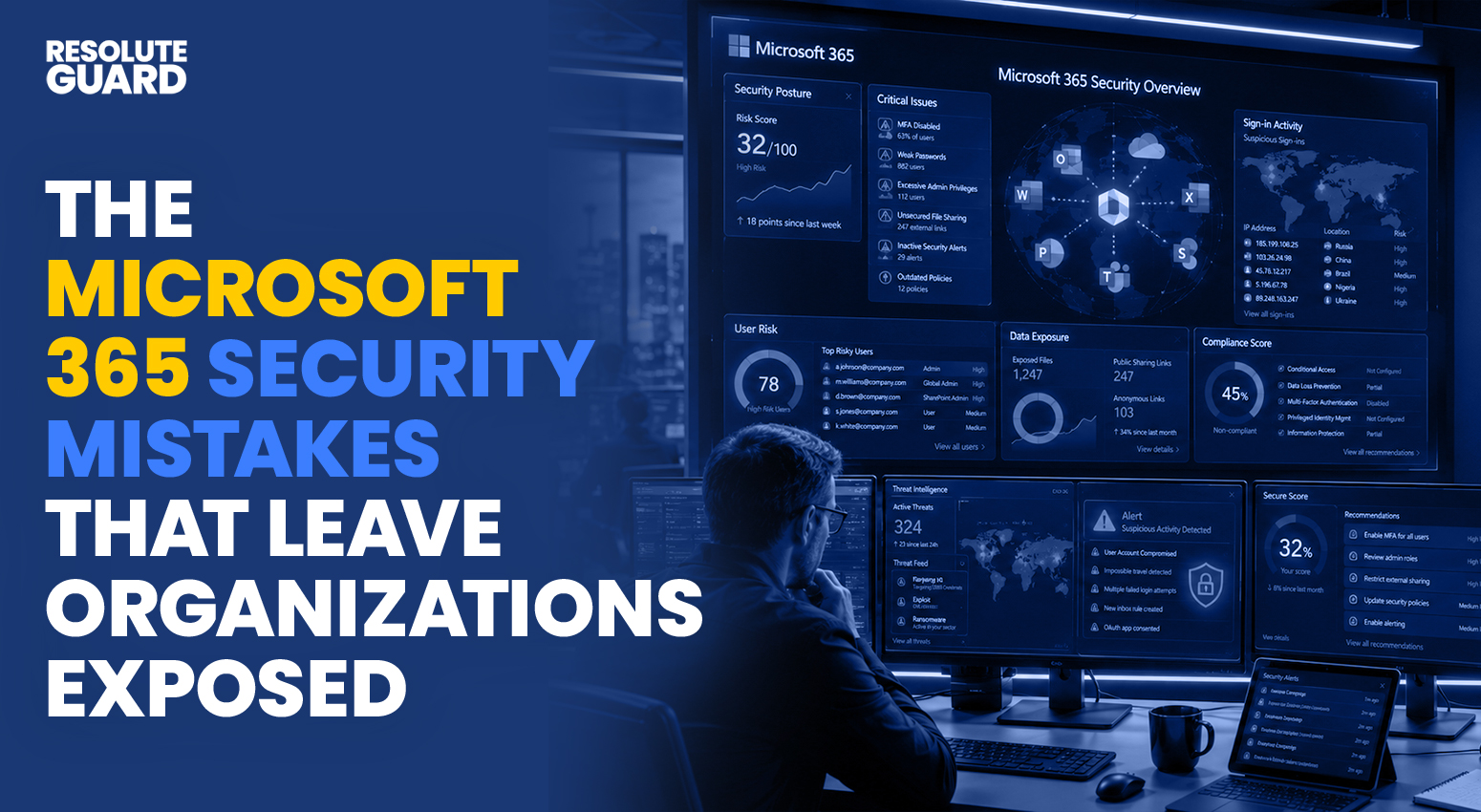
The Microsoft 365 Security Mistakes That Leave Organizations Exposed
The Microsoft 365 Security Mistakes That Leave Organizations Exposed
Microsoft 365 powers email, file storage, and team collaboration for millions of businesses across the country. Yet many of those same businesses unknowingly leave the door wide open for attackers. Microsoft 365 security mistakes happen quietly, often buried inside default settings that nobody bothered to review. A single misconfigured permission or a skipped security feature can turn a trusted productivity suite into an attacker’s easiest way inside your network. IT teams juggling dozens of priorities rarely have time to audit every setting, which is exactly why these gaps tend to linger for months without anyone noticing. This article breaks down the most common mistakes, explains why they matter, and shows you exactly how to fix them before they cost your organization data, money, or customer trust.
🔓 Why Microsoft 365 Security Mistakes Put Your Organization at Risk
Microsoft 365 sits at the center of daily business operations. Email, financial documents, customer records, and internal communications all flow through the same platform. This makes it an irresistible target for cybercriminals who know that one compromised account can unlock an entire organization’s data.
Attackers no longer need to break through a firewall when Microsoft 365 security mistakes hand them a much easier path. A single weak password, an unchecked sharing setting, or a forgotten admin account can give criminals everything they need. According to Microsoft’s own security documentation, identity-based attacks remain one of the fastest-growing threats facing organizations that rely on cloud productivity tools.
Remote and hybrid work arrangements have only widened this exposure. Employees now sign in from home networks, personal devices, and public Wi-Fi, which means the traditional office perimeter no longer offers any real protection. Identity has effectively become the new perimeter, and any weakness there carries far more weight than it once did.
The Hidden Cost of Overlooking M365 Security
Every overlooked setting carries a price tag. Breach recovery costs include forensic investigation, legal fees, regulatory fines, and the labor required to rebuild trust with clients. Beyond the dollar amount, a publicized breach can damage a brand’s reputation for years.
Downtime adds another layer of pain. When ransomware locks SharePoint libraries or a compromised mailbox sends fraudulent invoices to vendors, normal business operations grind to a halt. Recovering from these incidents almost always costs more than the security measures that would have prevented them in the first place.
Compliance and Regulatory Exposure
Many industries operate under strict data protection rules, including HIPAA for healthcare, GLBA for financial services, and various state privacy laws. A Microsoft 365 security mistake that exposes protected data not only creates a security incident; it can also trigger mandatory breach notifications and regulatory investigations.
Auditors increasingly expect documented proof of access controls, encryption, and monitoring inside Microsoft 365 environments. Organizations that cannot produce this evidence face fines in addition to the original breach costs, turning a single oversight into a much larger financial and legal burden.
🚨 The Most Common Microsoft 365 Security Mistakes Organizations Make
Most breaches do not start with a sophisticated zero-day exploit. They start with simple, preventable errors that slip through the cracks during setup or daily operations. Here are the mistakes security teams encounter most often.
Weak or Reused Passwords Across Accounts
Employees often reuse the same password across personal and work accounts. When one of those accounts gets breached in an unrelated incident, attackers test the same credentials against Microsoft 365 logins. This technique, known as credential stuffing, succeeds far more often than most leaders realize.
Password reuse creates a single point of failure across an entire organization. A breach at an unrelated retail website can serve as the entry point to a company’s email system. Strong, unique passwords paired with a password manager remove this risk almost entirely.
Skipping Multi-Factor Authentication (MFA)
Multi-factor authentication adds a second verification step beyond a password, yet many organizations still leave it disabled or optional. This single Microsoft 365 security mistake remains one of the most damaging because it removes the biggest barrier attackers face after stealing a password.
- Accounts without MFA are far easier to compromise through phishing
- Stolen passwords become useless to attackers once MFA is enforced
- Legacy authentication protocols often bypass MFA entirely if left enabled
Enforcing MFA across all accounts, including service accounts and shared mailboxes, closes one of the widest gaps that attackers rely on.
Misconfigured Sharing and File Permission Settings
SharePoint and OneDrive make file sharing effortless, but default settings often allow links to be shared with anyone, including people outside the organization. Sensitive contracts, financial spreadsheets, and HR records can end up exposed without anyone realizing it.
Permission sprawl makes this worse over time. Files shared months ago for a single project often remain accessible long after the project ends, creating a growing list of forgotten exposure points across the tenant.
- Anonymous links can be opened by anyone who has the URL, including outsiders.
- Guest accounts often retain access long after a partnership or contract ends.
- Inherited permissions on subfolders rarely match the original owner’s intent.
Ignoring Conditional Access Policies
Conditional access policies let administrators control exactly when and how users can sign in, based on location, device health, or risk level. Many organizations never configure these policies, leaving every login attempt treated the same, regardless of where it originates.
Without conditional access in place, a login attempt from an unfamiliar country at 3 a.m. gets the same treatment as a normal login from the office. That blind spot gives attackers room to operate undetected for days or even weeks.
- Sign-ins from unmanaged or unrecognized devices proceed without extra scrutiny.
- Risky locations and impossible travel patterns trigger no automatic response.
- Outdated or jailbroken devices can connect to corporate data without restrictions.
Unmonitored Mailbox Forwarding Rules
Attackers who gain access to a mailbox frequently set up silent forwarding rules that copy incoming emails to an external address. These rules often go unnoticed because they do not disrupt the account owner’s normal email experience.
This Microsoft 365 security mistake allows attackers to monitor conversations, gather intelligence, and wait for the perfect moment to intercept a wire transfer or sensitive document. Regular audits of mailbox rules catch this activity before it causes serious damage.
Excessive or Unaudited Admin Privileges
Global administrator roles carry enormous power, yet many organizations hand them out generously and rarely review who still holds them. Former employees, contractors, and even forgotten service accounts often retain elevated access long after they need it.
- Too many standing admin accounts increase the attack surface significantly
- Unused privileged accounts are prime targets for credential theft
- Admin actions without logging make it nearly impossible to trace a breach
Reducing the number of standing admin accounts and reviewing privileges quarterly closes this gap before it becomes a liability.
Lack of Backup and Data Retention Policies
Many organizations assume Microsoft 365 automatically backs up their data in a way that protects against ransomware or accidental deletion. In reality, native retention settings are designed for compliance, not full disaster recovery, and they often fall short when a serious incident strikes.
Without a dedicated backup strategy, a single ransomware attack on SharePoint or OneDrive can wipe out months of work with no reliable way to restore it. Independent backup solutions that operate outside the Microsoft 365 tenant effectively close this gap.
Ignoring Sign-In and Audit Logs
Microsoft 365 generates detailed sign-in and audit logs, but many organizations never review them until after an incident has already occurred. These logs often contain early warning signs, such as repeated failed logins or sign-ins from unusual locations, that go unnoticed without active monitoring.
Treating these logs as an afterthought turns a potentially preventable breach into a reactive cleanup effort. Setting up automated alerts on suspicious activity transforms these logs from passive records into a real early-warning system.
🎯 How Attackers Exploit These Microsoft 365 Security Gaps
Understanding the mistakes is only half the picture. Knowing how criminals actually exploit them helps security teams prioritize defenses where they matter most.
Business Email Compromise (BEC) Attacks
Business email compromise remains one of the costliest cybercrime categories tracked by federal authorities, as highlighted in CISA’s cyber threat advisories. Attackers use a compromised or spoofed Microsoft 365 account to request fraudulent wire transfers, often impersonating executives or trusted vendors.
These attacks succeed because they exploit trust rather than technical vulnerabilities. As outlined in our breakdown of how cybercriminals weaponize generative AI, attackers now craft highly convincing messages that mimic a real executive’s tone and writing style, making detection even harder for untrained employees.
Malicious OAuth App Consent
Consent phishing tricks users into granting permissions to a malicious third-party app that looks legitimate. Once approved, the app gains ongoing access to email, files, and calendar data without ever needing the user’s password again.
This attack bypasses MFA entirely because the user technically approved the access themselves. Reviewing and restricting which third-party apps can request permissions prevents this increasingly common attack vector.
Lateral Movement Through Teams and SharePoint
Once inside one account, attackers use Microsoft Teams chats and shared SharePoint libraries to move laterally across an organization. A trusted internal message asking a colleague to “review this document” carries far more credibility than an external phishing email.
This internal trust is exactly what makes lateral movement so effective. Attackers can quietly map out an organization’s structure, identify high-value targets, and escalate privileges before anyone notices unusual activity.
Token Theft and Session Hijacking
Modern attackers increasingly target authentication tokens instead of passwords. Once a token is stolen via malware or a malicious browser extension, attackers can access a Microsoft 365 account without triggering an MFA prompt, because the session already appears authenticated.
This technique, often called session hijacking, has grown alongside the rise of adversary-in-the-middle phishing kits. Shortening token lifetimes and enabling continuous access evaluation significantly reduces the window attackers have to exploit a stolen session.
📊 The Real-World Impact of Microsoft 365 Security Mistakes
Numbers tell the story better than warnings alone. Across the security industry, cloud misconfigurations and weak identity controls repeatedly emerge as leading causes of confirmed data breaches, rather than advanced malware or hardware failures.
Smaller Organizations Face Disproportionate Risk
Attackers increasingly favor smaller organizations because they assume their security maturity lags behind that of larger enterprises. A single unpatched gap in Microsoft 365 can expose years of customer records, contracts, and financial data within hours of discovery.
- Smaller IT teams often manage security as a side responsibility rather than as a dedicated role.
- Limited budgets frequently delay the adoption of advanced threat protection features.
- Fewer formal policies exist to enforce consistent configuration across departments.
Why Recovery Takes Longer Than Most Leaders Expect
Restoring normal operations after a Microsoft 365 incident rarely happens overnight. Investigators need time to trace how attackers gained access, which accounts were touched, and whether any data left the environment before containment.
This investigation period often stretches into weeks, during which leadership must manage client communication, regulatory deadlines, and internal morale simultaneously. Organizations that already maintain clean logs, defined access controls, and a tested response plan consistently recover faster than those starting from scratch.
The Ripple Effect on Vendors and Customers
A breach rarely stays contained to one organization. Vendors, partners, and customers who exchanged emails or files with a compromised Microsoft 365 tenant often become secondary targets themselves, as attackers reuse stolen trust to launch follow-on attacks down the supply chain.
This ripple effect explains why so many clients now ask vendors directly about their Microsoft 365 security posture before signing new contracts. Demonstrating strong, documented controls has become a competitive advantage rather than just a defensive measure.
✅ Proven Fixes for Microsoft 365 Security Mistakes
Fixing these issues does not require a complete overhaul of your environment. Most organizations can close their biggest gaps with a focused set of changes.
Strengthen Identity and Access Management
✅ Enforce multi-factor authentication for every account, with no exceptions
✅ Disable legacy authentication protocols that bypass modern security controls
✅ Apply conditional access policies based on location, device, and risk level
✅ Use just-in-time access for administrative roles instead of standing privileges
✅ Require periodic password resets paired with breach-monitoring tools
✅ Shorten authentication token lifetimes to limit session hijacking risk
Identity remains the foundation of Microsoft 365 security, and these steps directly address the mistakes attackers most often exploit.
Monitor Sign-In Activity and Audit Logs Continuously
✅ Enable alerts for sign-ins from unfamiliar locations or devices
✅ Review audit logs weekly instead of waiting for an annual check
✅ Integrate Microsoft 365 logs with a SIEM tool for centralized visibility
✅ Flag impossible travel patterns, such as two logins from different countries within minutes
Continuous monitoring turns Microsoft 365’s built-in logging features into an active defense rather than a forgotten compliance checkbox.
Configure Data Loss Prevention (DLP) Policies
Data loss prevention policies automatically detect and block the sharing of sensitive information, such as Social Security numbers or financial data, outside approved channels. Setting these policies up takes time up front, but saves organizations from accidental and intentional data leaks.
✅ Create DLP rules tailored to your industry’s compliance requirements
✅ Block external sharing of files containing sensitive data patterns
✅ Set up automatic alerts when DLP policies are triggered
Run Regular Security Audits and Access Reviews
A one-time security setup is never enough. Microsoft 365 environments change constantly as employees join, leave, and shift roles, so permissions and access levels require consistent review.
- Schedule quarterly reviews of all admin and privileged accounts
- Audit mailbox forwarding rules and external sharing links monthly
- Review third-party app permissions every quarter
- Test conditional access policies against real-world login scenarios
- Document findings and assign clear ownership for remediation
Following this kind of structured cadence helps organizations catch small issues before they escalate into major incidents.
Apply the Principle of Least Privilege
Every account should hold only the access it genuinely needs to perform its job, nothing more. This concept, known as the principle of least privilege, dramatically limits the damage a single compromised account can cause.
✅ Assign permissions based on role rather than convenience
✅ Remove access automatically when an employee changes roles or departs
✅ Separate day-to-day accounts from privileged administrative accounts entirely
Organizations that apply this principle consistently shrink their attack surface without slowing down legitimate work.
🛡️ Building a Long-Term Microsoft 365 Security Strategy
Technical controls only work when people understand how to use them correctly. A long-term strategy combines strong configuration with ongoing education and outside expertise.
Train Employees to Recognize Threats
Employees remain the first line of defense against phishing, consent attacks, and social engineering attempts. Regular training keeps that defense sharp instead of letting it fade after a single onboarding session.
✅ Run simulated phishing campaigns at least once per quarter
✅ Teach employees how to verify unusual requests through a separate channel
✅ Share real examples of recent attack attempts within the organization
✅ Make reporting suspicious emails simple and consequence-free
These habits build a culture where security becomes second nature rather than an afterthought.
Create and Test an Incident Response Plan
Even well-defended organizations eventually face a security incident. Having a documented response plan in advance prevents panic and confusion from turning a manageable issue into a prolonged crisis.
✅ Define clear roles for who isolates accounts, notifies leadership, and contacts legal counsel
✅ Keep an updated contact list for Microsoft support and any managed security partner
✅ Run a tabletop exercise at least once a year to test the plan under realistic conditions
A tested plan turns a stressful breach into a controlled, well-managed response.
Partner With Managed Security Experts
Many organizations lack the internal bandwidth to monitor Microsoft 365 around the clock. Working with a dedicated security partner, such as the team at Resolute Guard, gives organizations continuous monitoring and rapid response without the cost of building an entire in-house security operations center.
External expertise also brings a fresh perspective. A second set of eyes often catches misconfigurations that internal teams have grown used to overlooking, closing gaps that might otherwise sit unnoticed for months.
❓ Frequently Asked Questions About Microsoft 365 Security Mistakes
What is the most common Microsoft 365 security mistake? Skipping multi-factor authentication remains the most common and most damaging mistake, since it removes the strongest barrier against stolen credentials.
Can small businesses really be targeted by these attacks? Yes. Small and mid-sized businesses are frequently targeted because they often have fewer security resources than large enterprises, making Microsoft 365 security mistakes easier to exploit.
How often should admin permissions be reviewed? Most modern security frameworks, including guidance referenced in NIST’s Cybersecurity Framework, recommend reviewing privileged access at least quarterly.
Does Microsoft 365 include built-in security tools? Yes, Microsoft 365 includes tools like Defender for Office 365 and conditional access policies, but many of these features require manual configuration to work effectively.
What should an organization do immediately after suspecting a breach? Isolate the affected account, reset its credentials, revoke active sessions, and review recent sign-in and mailbox rule activity before taking further action.
Are free or basic Microsoft 365 plans less secure than premium plans? Lower-tier plans include fewer built-in security features, such as advanced threat protection and conditional access, which means organizations on basic plans need to compensate with additional third-party tools or services.
How long does it typically take to fix the most common security gaps? Many of the highest-impact fixes, such as enforcing MFA and tightening sharing defaults, can be implemented within days. At the same time, broader changes like access reviews and DLP rollout typically take a few weeks to complete properly.
🔒 Final Thoughts on Microsoft 365 Security Mistakes
Most breaches trace back to small, preventable errors rather than sophisticated attacks. Microsoft 365 security mistakes, such as skipped MFA, loose sharing permissions, and unmonitored admin accounts, create exactly the kind of openings that attackers look for every day. Fixing these gaps does not require an unlimited budget, just consistent attention and the right priorities.
Organizations that treat Microsoft 365 security as an ongoing process, not a one-time project, stay several steps ahead of the threats targeting their data. Small, consistent improvements to identity management, monitoring, and employee awareness compound over time into a genuinely resilient environment. For a deeper look at how attackers continue to evolve their tactics, explore more insights at Resolute Guard and start closing the gaps in your own environment today.